Security teams used to talk about “dwell time” in days and weeks. Attackers weren’t always fast, and defenders had more room for human-driven triage.
That world is fading. Recent threat reporting highlights a new reality: attackers can move from initial access to meaningful internal movement in minutes, not hours. Some campaigns are now measured in seconds.
The numbers that should change your posture
CrowdStrike’s latest threat report highlights three speed metrics that are worth repeating:
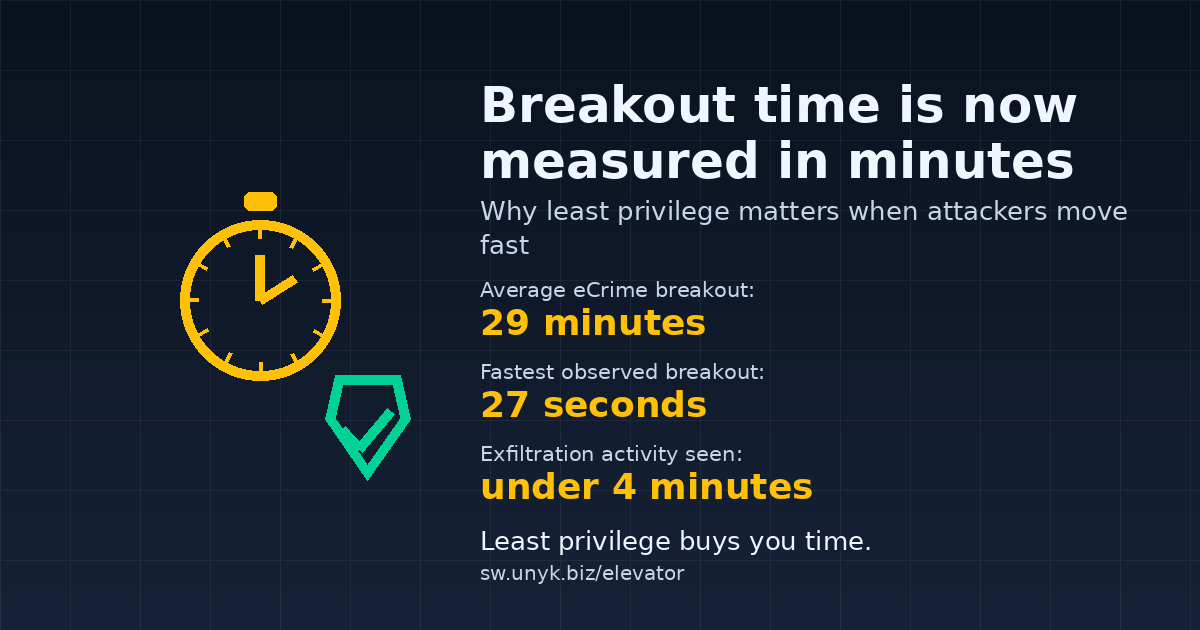
- Average eCrime breakout time: 29 minutes
- Fastest observed breakout: 27 seconds
- Exfiltration activity seen: within 4 minutes of initial access (in one intrusion)
Other reporting tells a similar story. ReliaQuest notes threat actors can achieve lateral movement in as little as 4 minutes, with an average of 34 minutes.
This matters because your incident response plan might assume you’ll “catch it on the next alert.” But if the attacker’s first 5–30 minutes are the decisive window, your biggest controls can’t be manual. They have to be structural.
Why speed changes everything
When attackers move this quickly, the classic defensive approach of “detect, investigate, contain” still matters, but it’s no longer enough on its own. In the first few minutes of a real intrusion, defenders often don’t yet know:
- Which device is truly compromised
- Which credentials are already stolen
- Whether the attacker is using legitimate tools or malware-free techniques
So you need controls that work even when you’re still confused. That’s where least privilege earns its keep.
Least privilege is a speed bump
Attackers love “inherited privilege.” If they land on a machine where the user is already a local admin, they often skip the hardest part of post-exploitation:
- Tamper with endpoint defenses
- Install persistence
- Dump credentials and pivot
- Abuse administrative tooling immediately
If the same foothold lands in a standard user context, attackers must do more work to get the same outcome: find a privilege escalation path, exploit a misconfiguration, or wait for a weak process that runs elevated. That “more work” is exactly what buys defenders time.
Four practical moves to make this week
-
Treat endpoints as the front door.
If your users live in browsers and SaaS, that’s where initial access often happens. Prioritize patching and baseline hardening on laptops and desktops, not just servers. -
Re-run your local admin inventory.
Find who is still in the local Administrators group and why. Most environments discover it’s not “everyone needs admin”, it’s “a few apps force us to keep people as admins.” -
Shrink your elevation surface.
Fewer elevated processes means fewer easy ways to chain into SYSTEM. Reduce ad hoc admin workflows, remove old “helper” utilities, and bring legacy apps into a controlled elevation approach. -
Instrument elevation and react to anomalies.
Elevation events are a strong signal. If an endpoint suddenly starts elevating tools it never elevated before, that’s often more interesting than yet another generic alert.
Where Elevator for Windows fits
Most organisations agree with least privilege in theory. In practice, the blocker is nearly always the same: a short list of legacy or specialist Windows applications that still need admin rights to behave.
That’s exactly why we built Elevator for Windows. Elevator lets you keep users as standard users while still allowing a small, explicit list of applications to run elevated.
- Keep users out of the local Administrators group
- Allow only approved executables to run with admin rights
- Keep everything else standard
- Log elevation events so you know what still depends on admin and where
When breakout time is measured in minutes, the goal is simple: make sure attackers inherit as little privilege as possible when they land. That’s the difference between “a bad morning” and “a full incident.”
A simple 30-day plan
- Week 1: Identify your top 10 “users still have admin” reasons and the apps behind them.
- Week 2: Pick 2–3 of the worst “needs admin” apps and pilot controlled elevation for a small user group.
- Week 3: Remove local admin for that group and track what actually breaks (and what doesn’t).
- Week 4: Expand the pilot and start turning “we can’t” into “we already did it for these teams.”
If you want to test Elevator with your own problem apps:
Start Free 30-Day Trial Request Elevator Pricing